Visualizations
Real-time transfer status.
Before Transfer
- Source size and file count
- Destination capacity bar, left to right: used (grey), to copy (green), free (black), with a legend "X used · Y to copy · Z left"
- The resolved folder tree (Folders on every drive) showing where files will land
- Size indicators
During Transfer
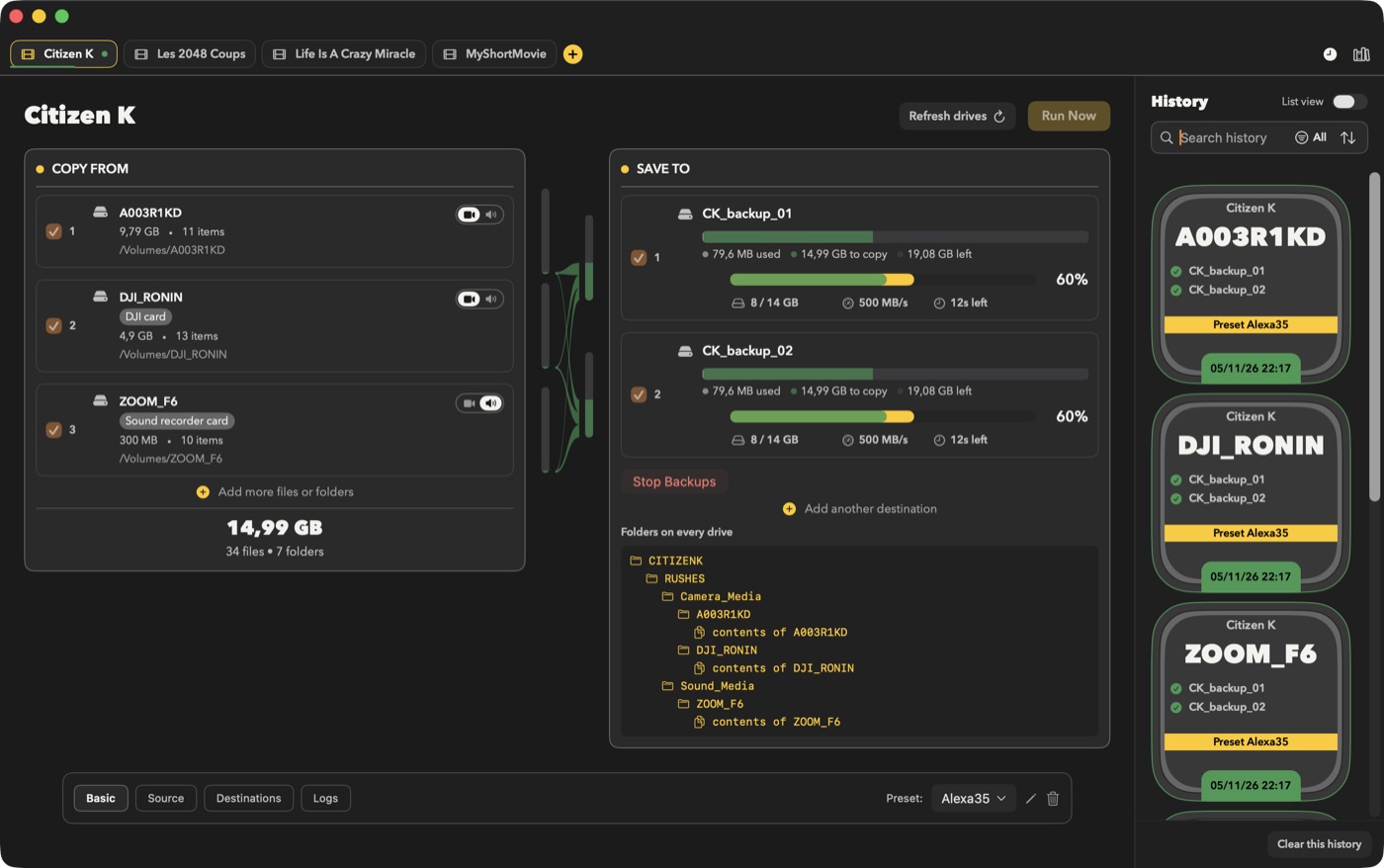
- Progress bars per destination
- Speed and estimated time
- Current file
Yellow vs Green Bars
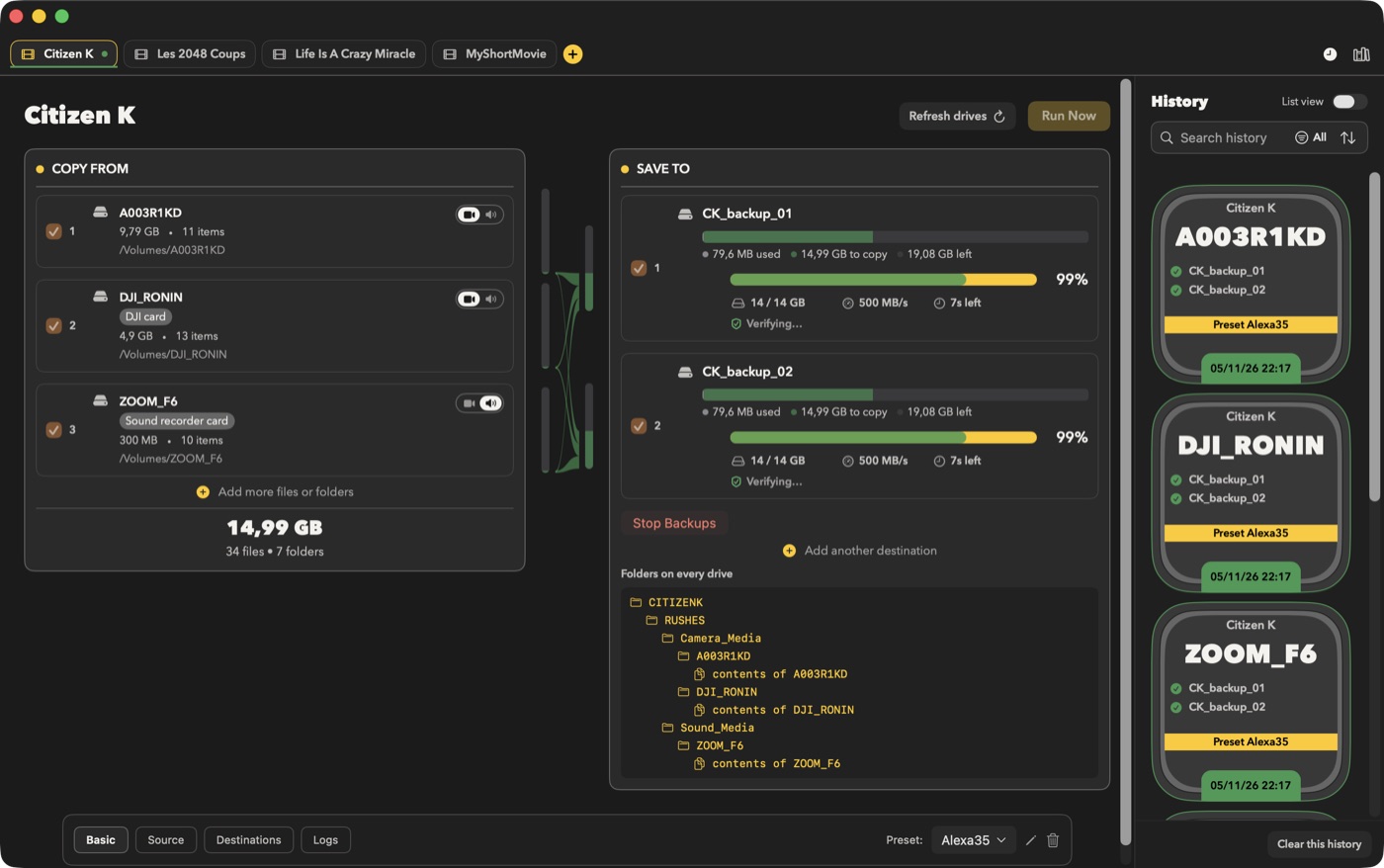
- Yellow: copy progress
- Green: verification progress (drawn over the yellow bar) (may stay empty if verification is off)
Behavior - During copy, the yellow bar advances. - If verification is enabled, the green bar advances as files are verified. - A destination is fully done when the copy bar is complete (and the verification bar too, if verification is enabled).
Status Colors
- Green: active or done
- Orange: paused
- Gray: pending
- Red: error